
Photo Gallery – Your Fishing Photos at a Glance
Your best catches deserve more than just numbers. With the Photo Gallery in AngelStratege you have all your fishing photos in one place – clearly arranged, filterable and grouped by fishing sessions. That makes it easy to organize your catch photos and find them again whenever you want.
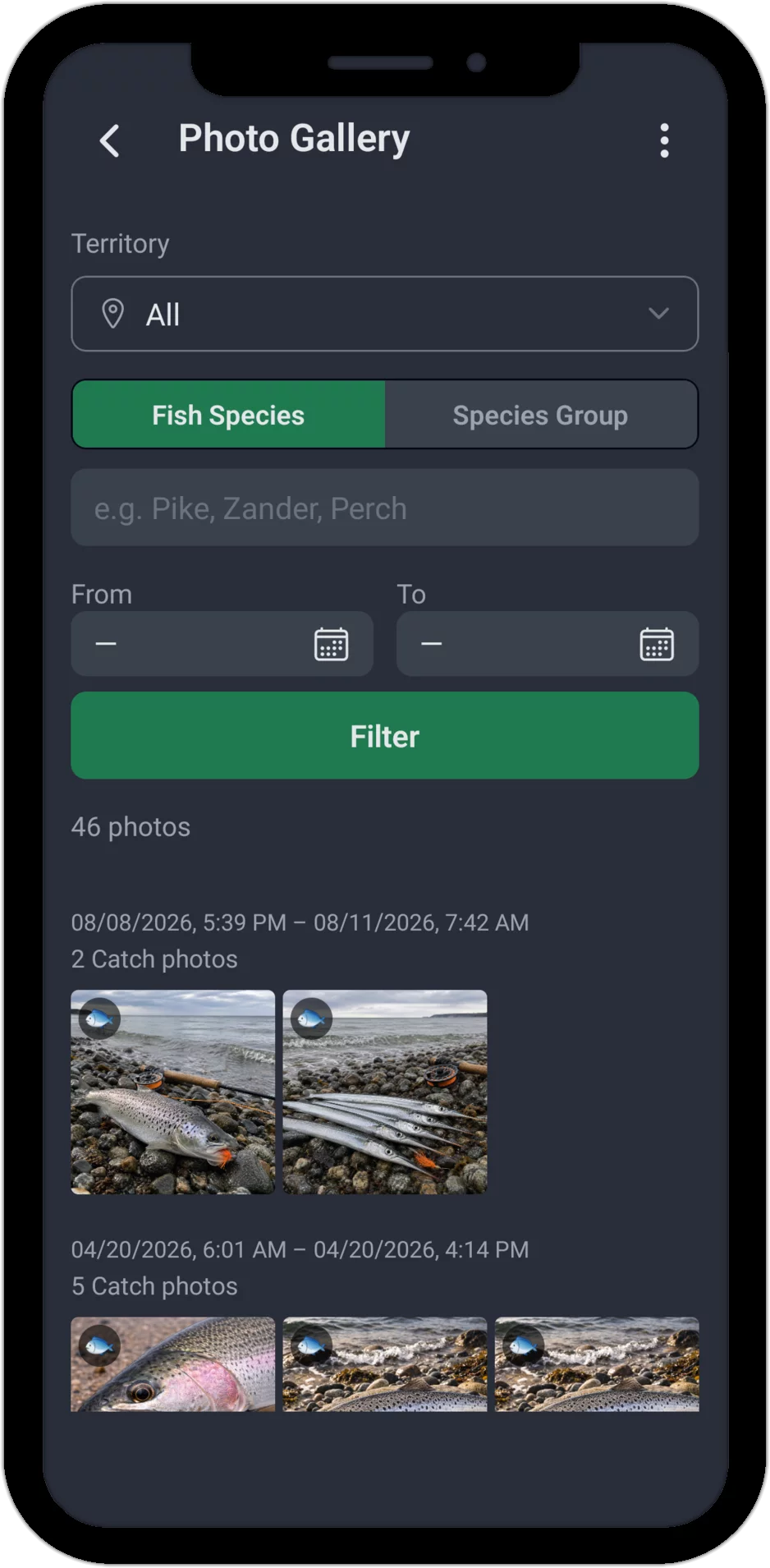
Find your photos quickly
Using the filter bar you can find exactly the photos you're looking for. The following filters are available:
- Territory: Show only photos from a specific water.
- Species / Species Group: Switch between individual species and your custom groups – e.g. all pike or all carp species at once.
- Time Period (From / To): Narrow the display to a specific time range.
This way you can quickly find your photos again – whether you're looking for last summer's record pike or want to see all catches at your favorite spot.
Grouped by fishing sessions
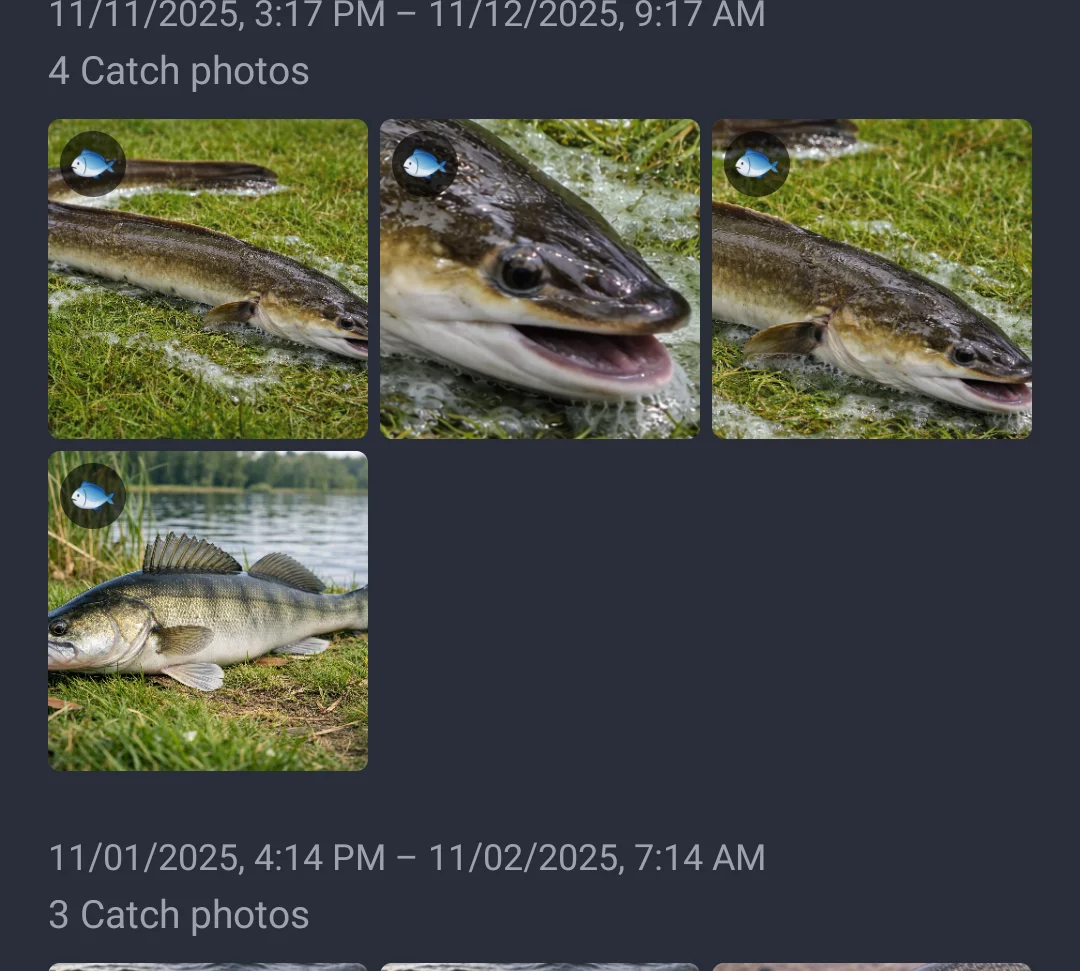
Photos are not simply listed chronologically, but grouped by fishing sessions. Your most recent sessions always appear at the top. For each session you can see the time period and the number of photos.
The gallery distinguishes between two types of photos: catch photos, which are linked to one specific catch (marked with a small fish icon on the thumbnail), and session photos, which you attach to the whole fishing session without tying them to a particular catch – e.g. a mood shot of the water. Both types are grouped together and can be filtered together.
Full view with zoom and navigation
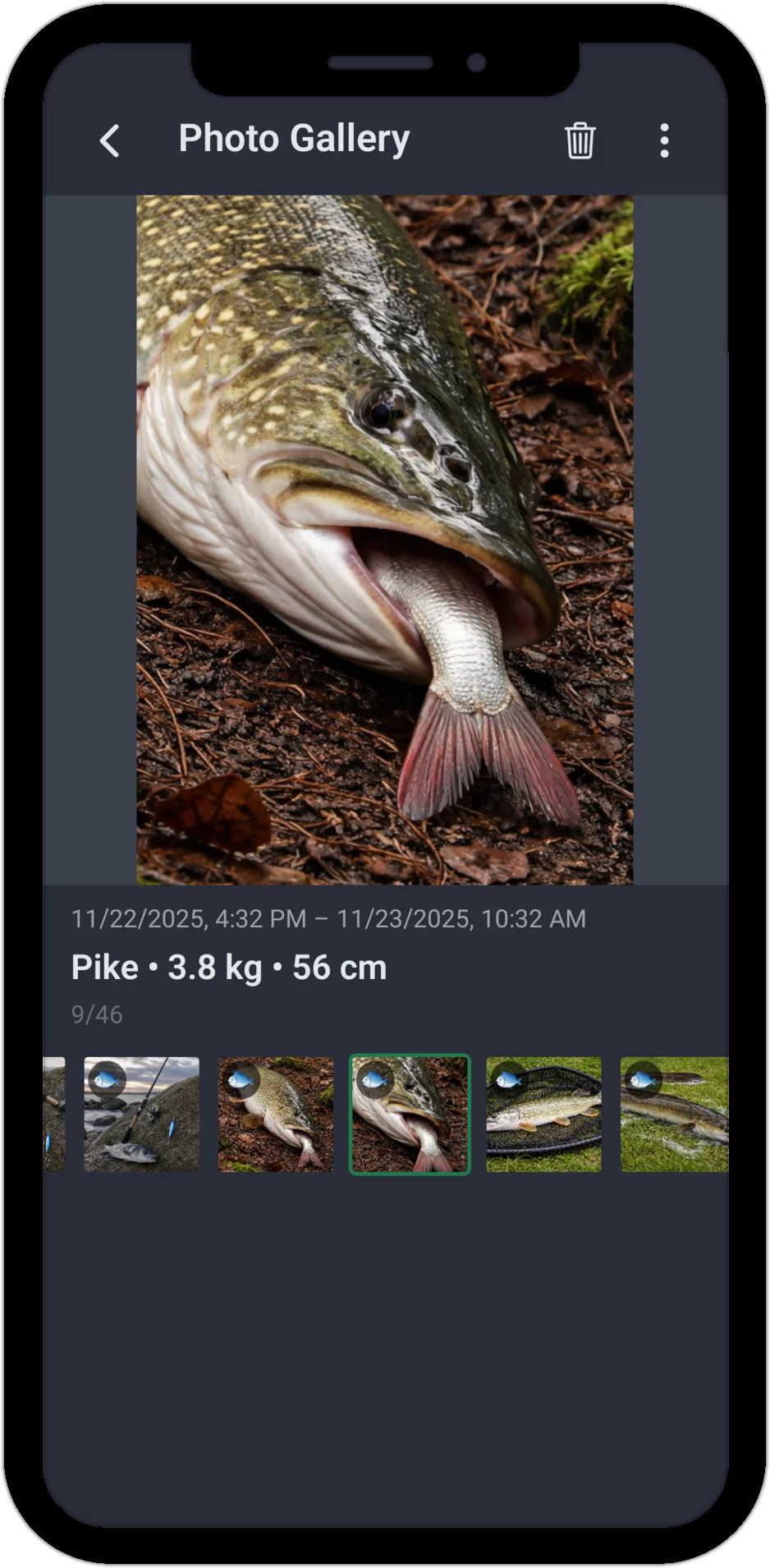
Tap any photo to open it in full view. Pinch or double-tap to zoom straight into the photo. Below it you see the key information:
- Session period: When was the fishing day?
- For catch photos, also species, weight and length: the measurements of the linked catch at a glance. Session photos with no catch link only show the time period.
Below the large photo you'll find a thumbnail strip with all photos from the session. Swipe left and right to quickly navigate through your photos – both on the large image and in the thumbnail strip, including a counter (e.g. "9/46"). The trash icon lets you delete a photo directly from full view (with a confirmation prompt).
Tip: The photo gallery shows all photos you've added while editing a catch or directly on a fishing session. So you can add photos not just through a single catch, but for the whole session too.
More than just photos
The Photo Gallery in AngelStratege is no ordinary photo app. Every catch photo is automatically linked to the corresponding catch data – species, weight and length. That turns your fishing photos into a visual catch history you can filter by territory, species or time period.
Looking for every catch photo from a specific water, or want to see which pike you caught over the last two years? The filter options in the photo gallery make that possible. Organizing your fishing photos and catch photos has never been this easy.
Start Now – Try the Fishing App for Free
Ready to link your catch photos with real data?
The app already comes with extensive test data from 2 years of fishing – so you
can see right away what AngelStratege can do. No email, no password, no hassle.

