Catch Statistics & Analysis – Understand Your Fishing Success
This is where your logged sessions turn into real knowledge. AngelStratege's catch statistics and analysis tools reveal patterns and correlations you'd never spot with the naked eye. As a fishing statistics app, AngelStratege crunches your own angling data for you – broken down spot by spot.
Every catch and bite gets linked to the conditions of that session. That's how you find out which air pressure, wind, weather trend, or water level puts the odds in your favor at each of your spots. Evaluating your catches this way becomes the key to understanding – and improving – your fishing success.
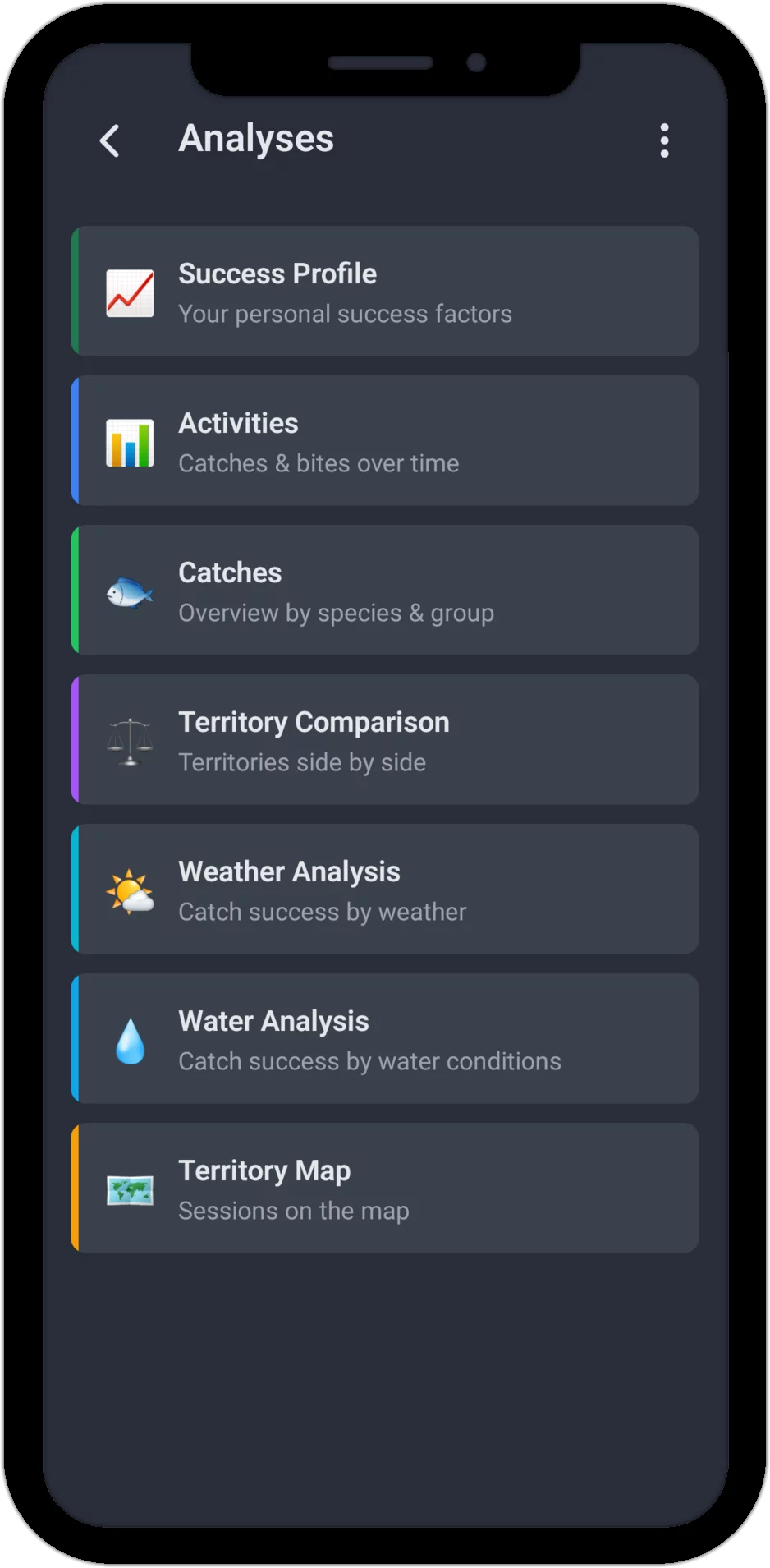
We'll walk through six analysis areas in detail below. Your personal success factors per spot – air pressure, season, wind direction and more – get their own dedicated area too:
1. Activity (Catches & Bites)
Activity Rate
The activity analysis shows you when you were out on the water and how successful you were. The spot filter lets you narrow the analysis down to a single water, or view all your sessions together.
The bite rate shows in how many of your sessions anything happened at all. The catch rate shows in how many sessions you actually landed a fish – both displayed as a percentage and as a ratio against your total number of sessions.
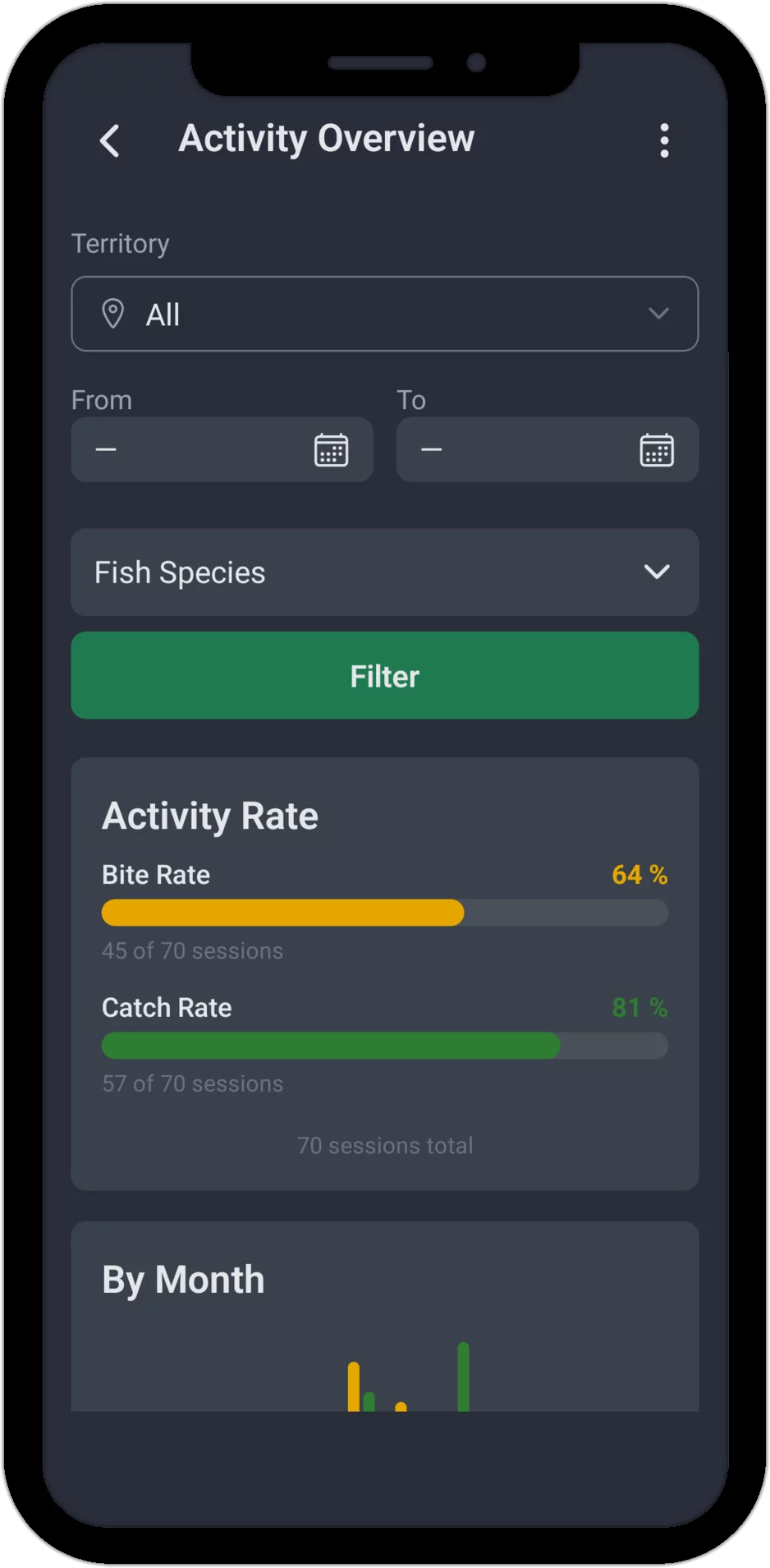
Note: A session counts as active if it includes at least one bite or one catch.
By Month
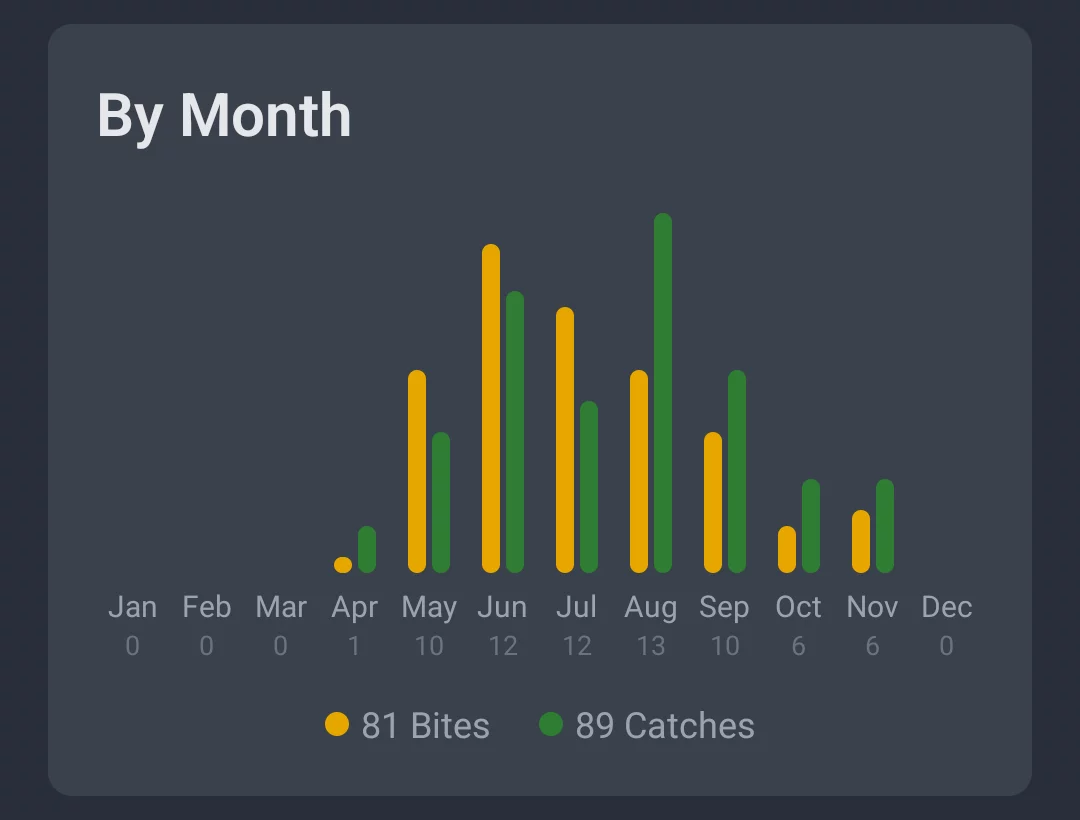
The monthly view shows you which months brought the most bites (orange) and catches (green). Seasonal patterns jump right out – a red-hot summer stretch, or an autumn run that outperforms the rest of the year.
By Time of Day
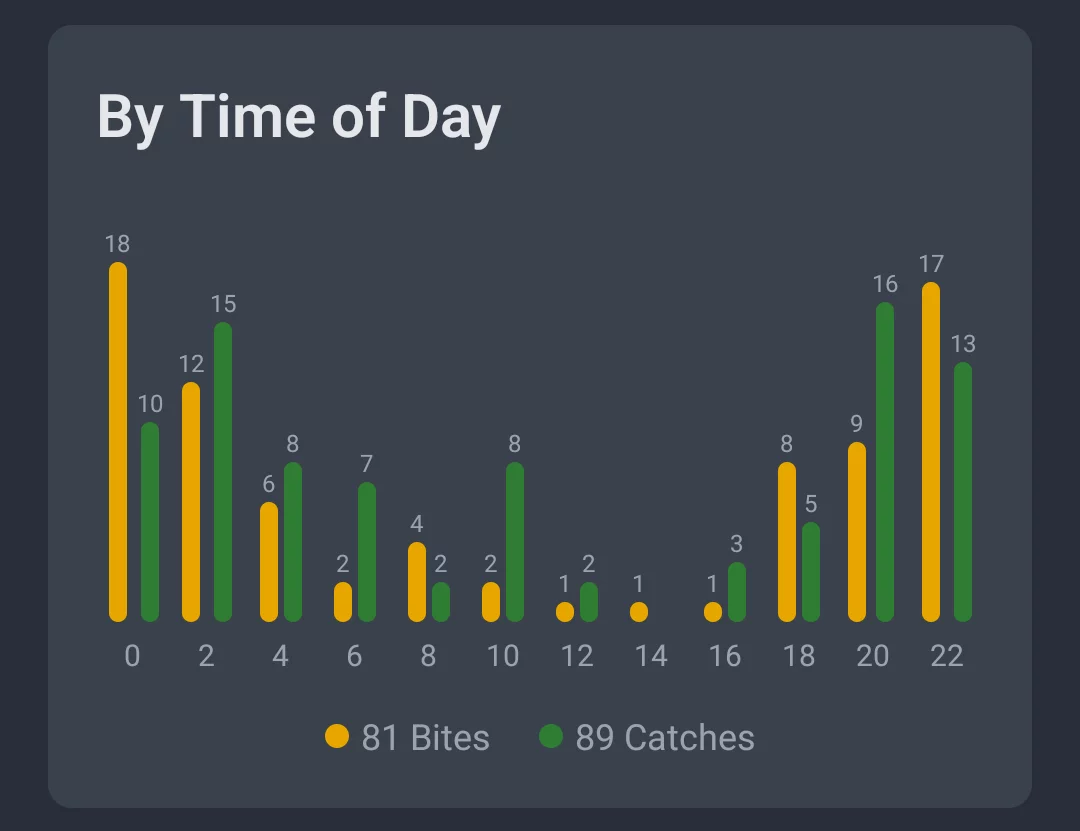
The time-of-day breakdown covers your whole day, hour by hour from midnight to midnight, showing exactly when your activity peaks. Whether you're an early riser or a dedicated night angler, you'll see clearly when fishing has actually paid off for you.
By Moon Phase
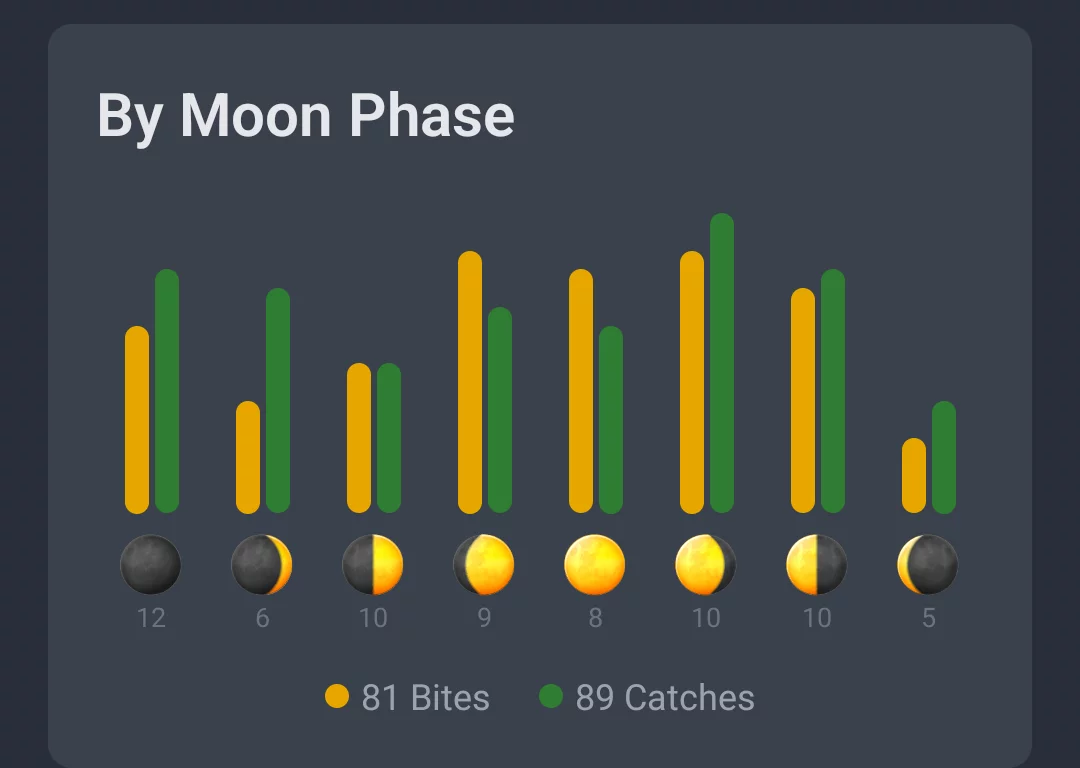
The moon phase view shows which lunar phases brought you the most bites (orange) and catches (green). It's a way to spot possible correlations between activity and the moon – another angle alongside time, weather, and spot.
2. Catches
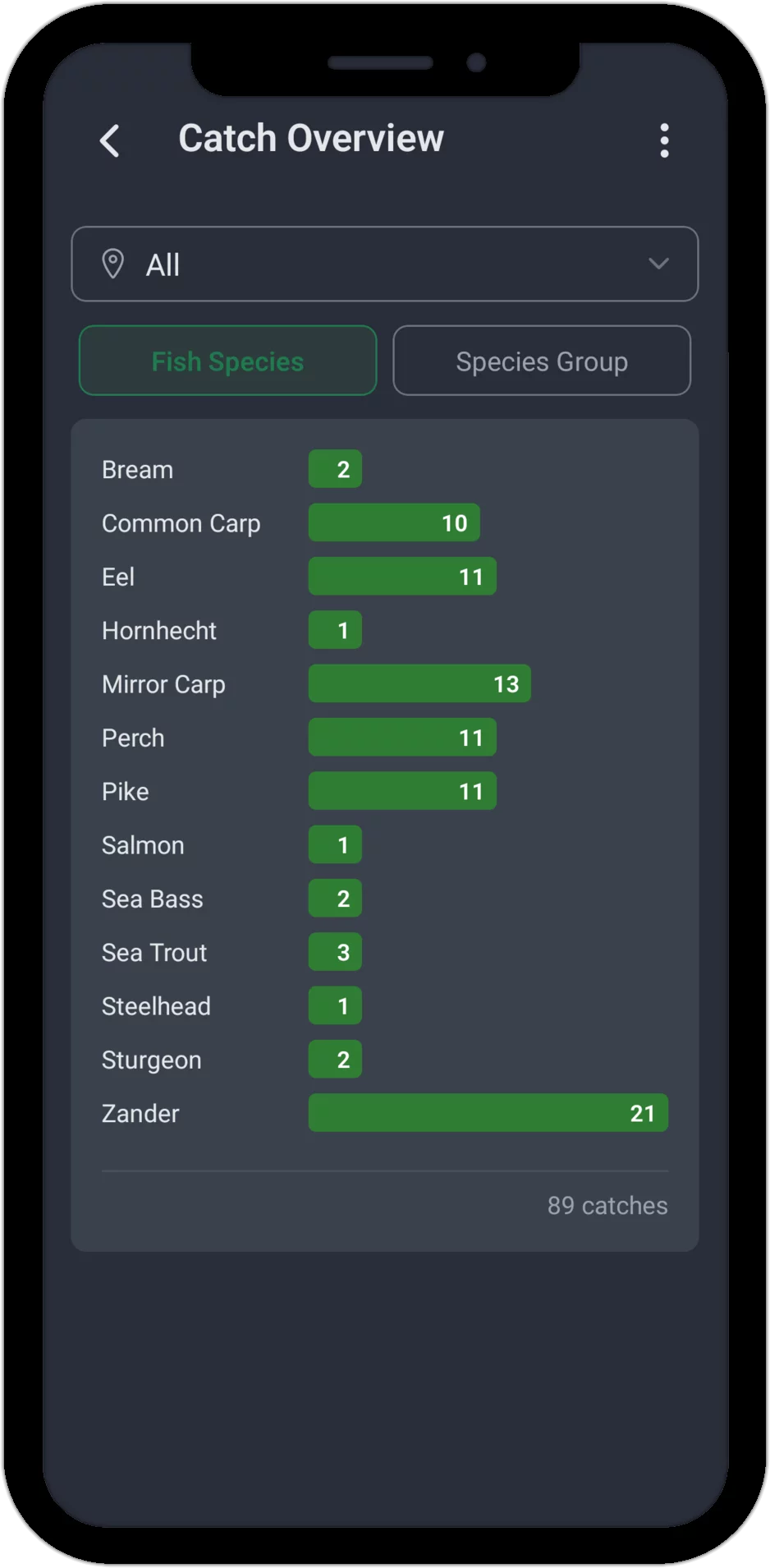
The catch overview shows you at a glance which fish you've landed most often. The spot filter at the top lets you narrow the view down to a single water, or look at all your catches together.
The "Species" tab breaks down every catch by fish species – the bar chart shows how often you've landed each one, with your total catch count at the bottom. The "Species Group" tab instead evaluates your own custom groups, say a "Carp" group covering Common Carp, Mirror Carp, and Grass Carp together.
That makes it easy to compare which species were most productive for you at which spot.
Tip: Set up your own species groups to bundle your favorite target fish together and analyze them as one.
3. Territory Comparison
The territory comparison lines up all your spots side by side and makes the differences in your activity easy to see. The time filter (From / To) lets you narrow the comparison to a specific stretch of time – the current season, say, or the last twelve months.
Three views are available: Sessions – how often were you at each spot? Catches – where did you land the most fish? Bites – which spot saw the most action? Every view can also be sorted – by name, sessions, catches, or bites.
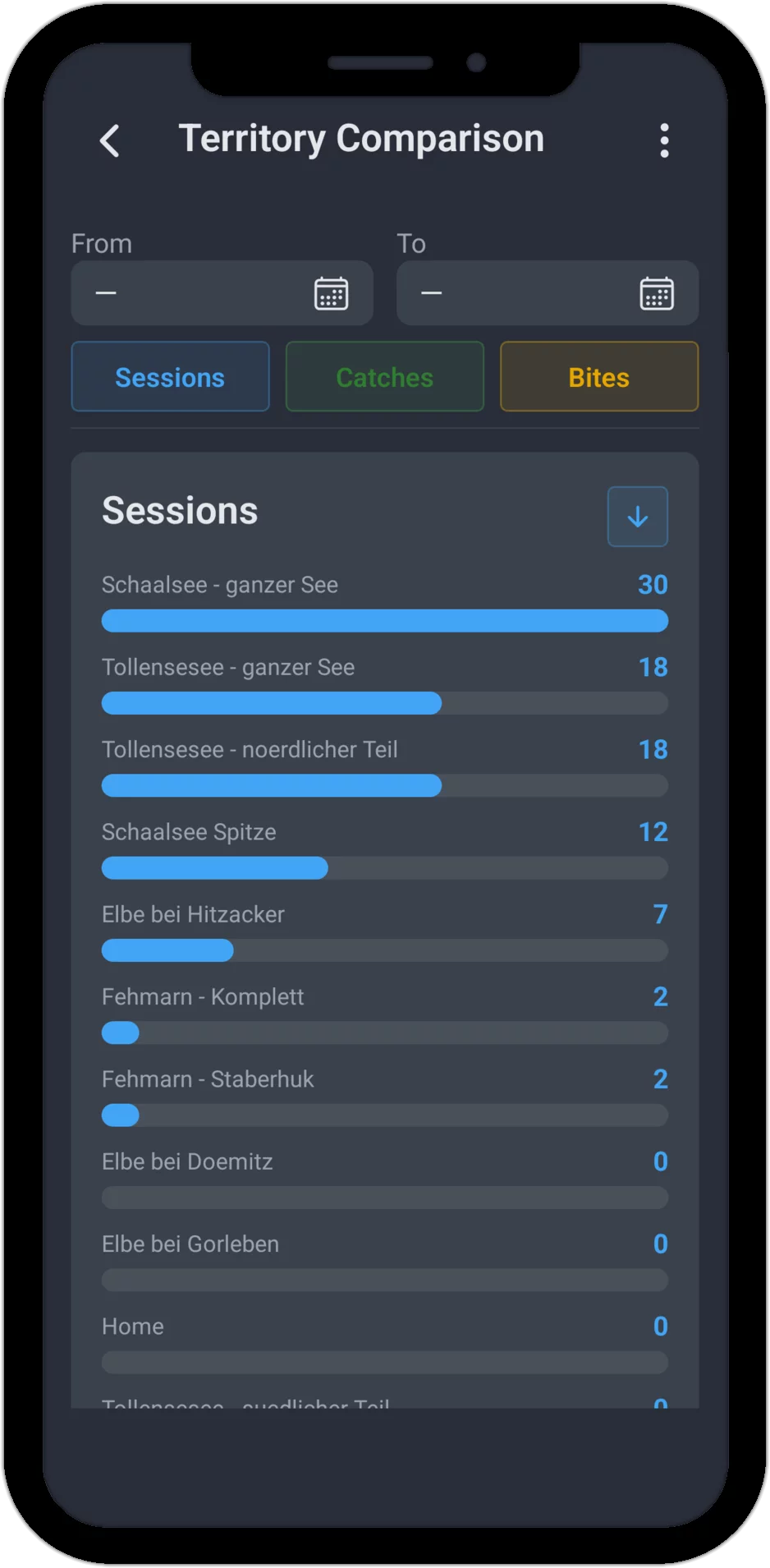
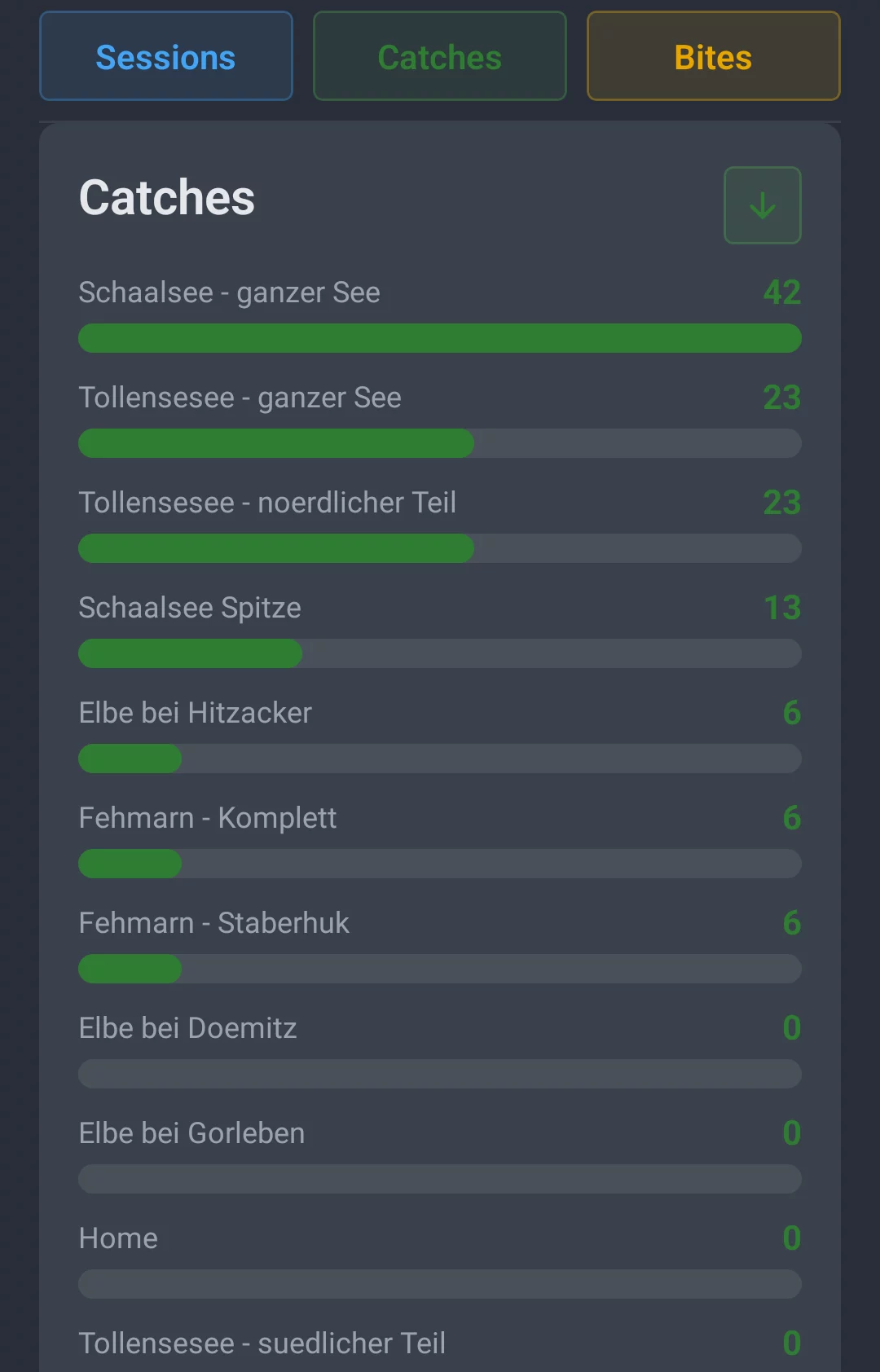
The "Catches" tab shows straight away which spot has produced the most fish for you – perfect for pinpointing your most productive waters.
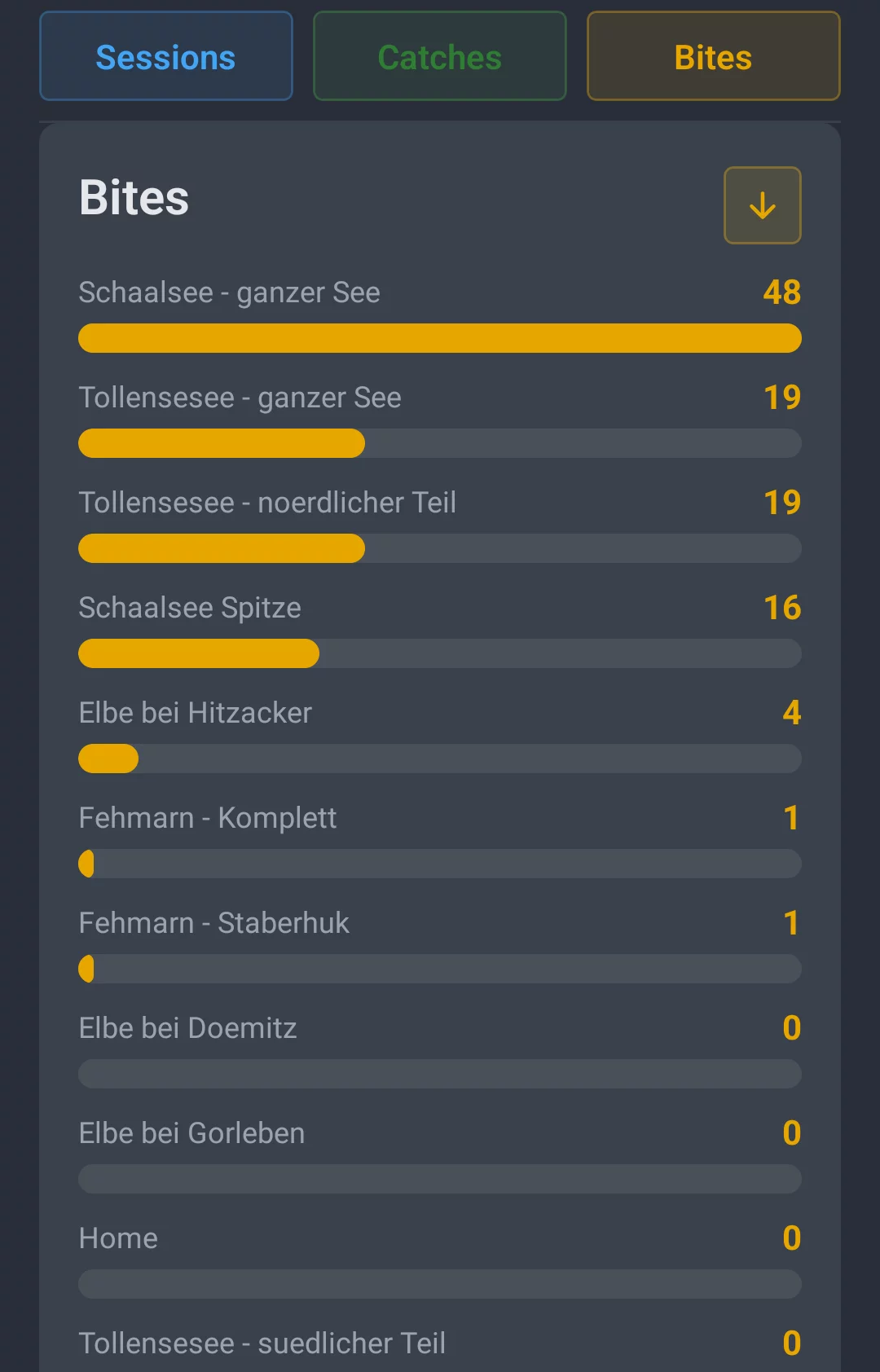
The "Bites" tab reveals which spot has the most action overall – even bites that didn't turn into a catch are a strong signal that a water is worth returning to.
4. Weather Analysis
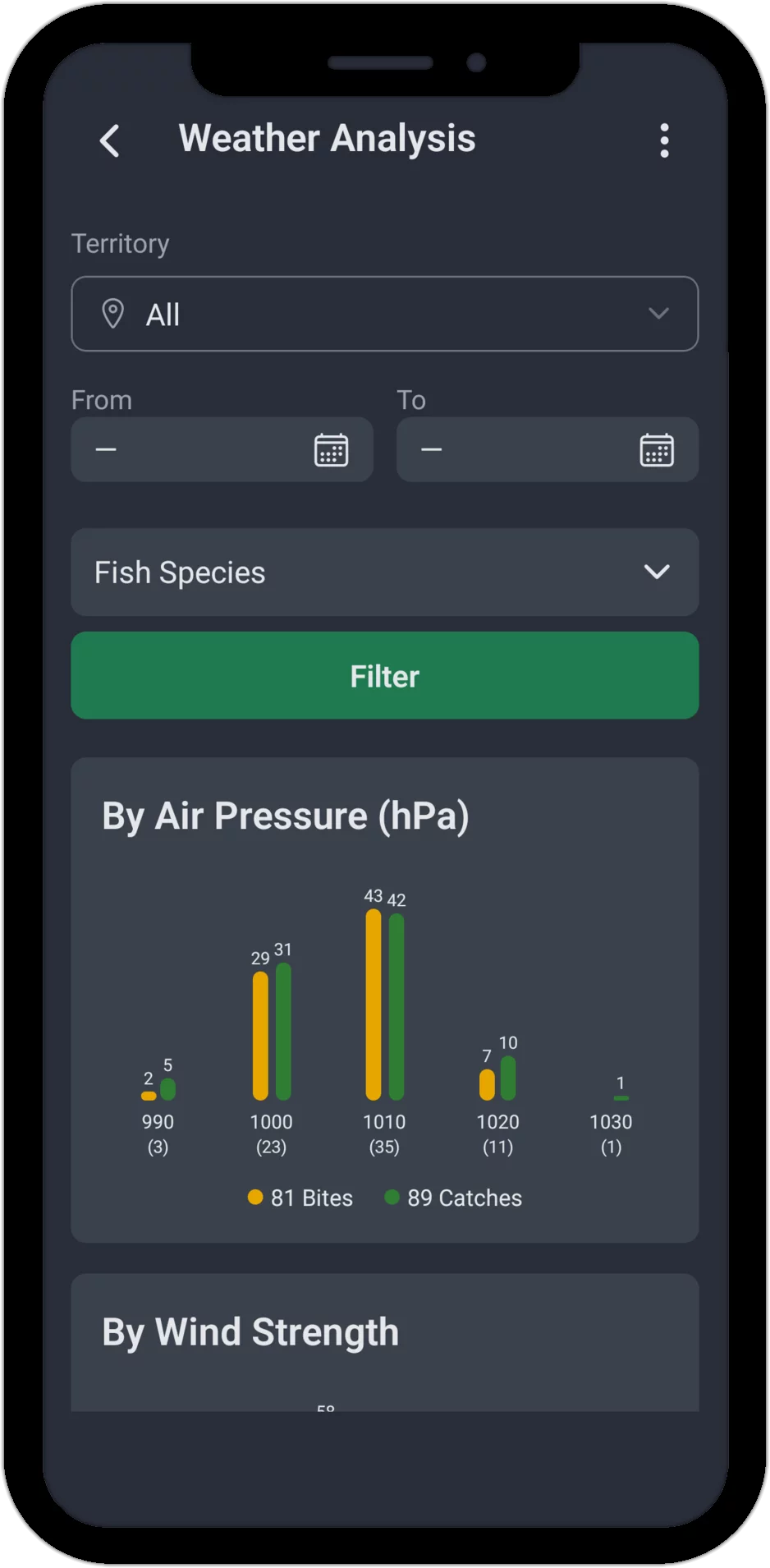
Every angler feels weather makes a difference. But does it really? The weather analysis gives you an actual answer, based on your own logged sessions. The app automatically records the current weather conditions every time you fish. For each weather category, you'll see the average number of bites (orange) and catches (green) per session.
Air pressure is grouped in 10 hPa steps. The ranges are pulled dynamically from your own data, so you only ever see values that are actually relevant to your region.
Wind Strength
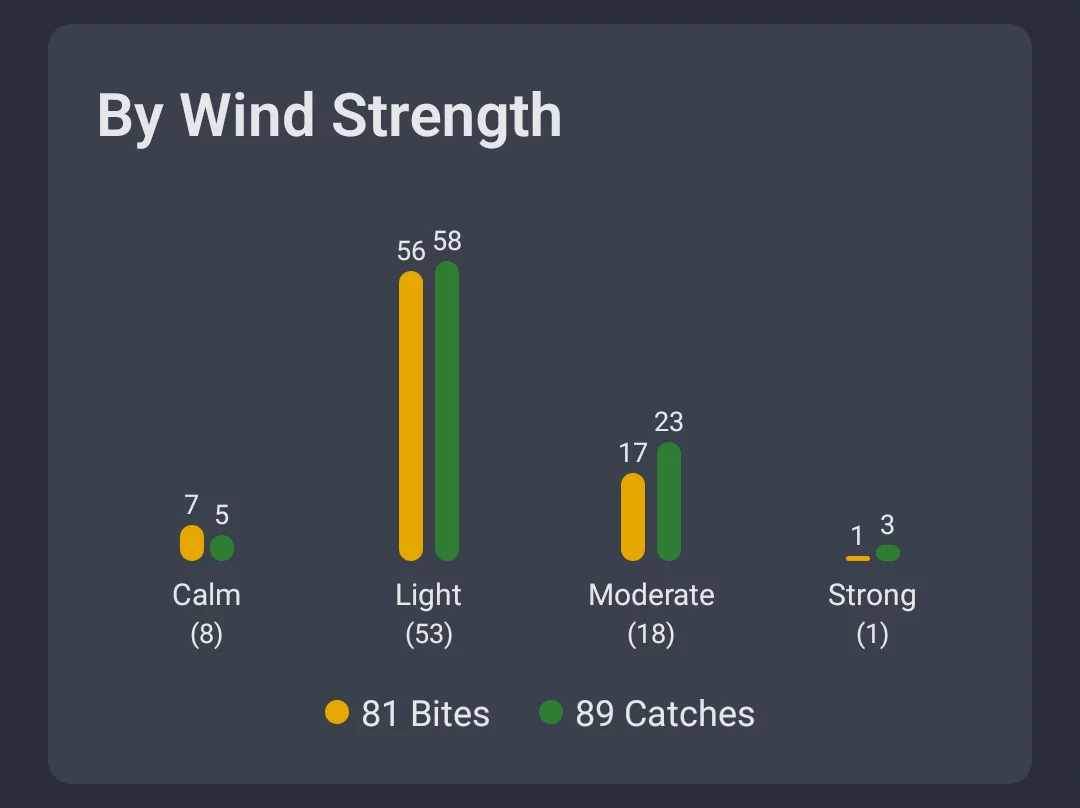
Wind strength is split into four bands: Calm, Light, Moderate, and Strong – so you can see at a glance which wind conditions work best for you.
Wind Direction
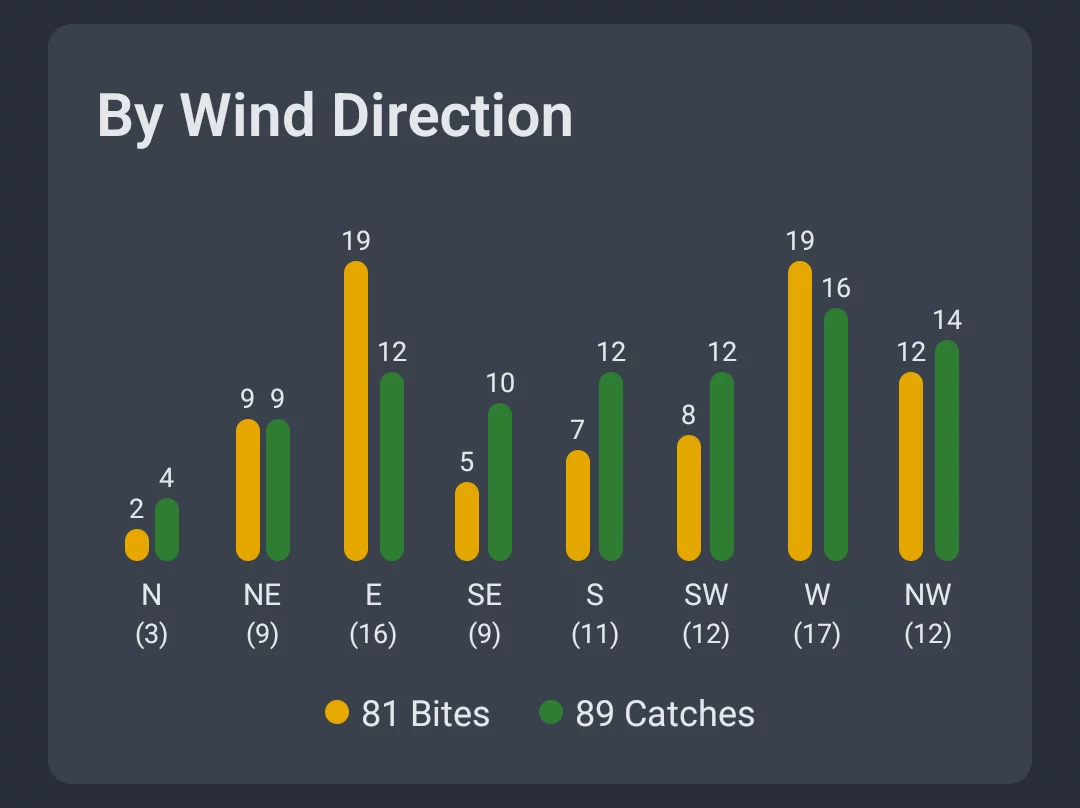
Which wind direction brings you the most fish? The bar chart breaks down your bites (orange) and catches (green) across all eight compass directions: N, NE, E, SE, S, SW, W, and NW – so you can see whether a particular wind direction consistently delivers better results at your waters.
Cloud Cover
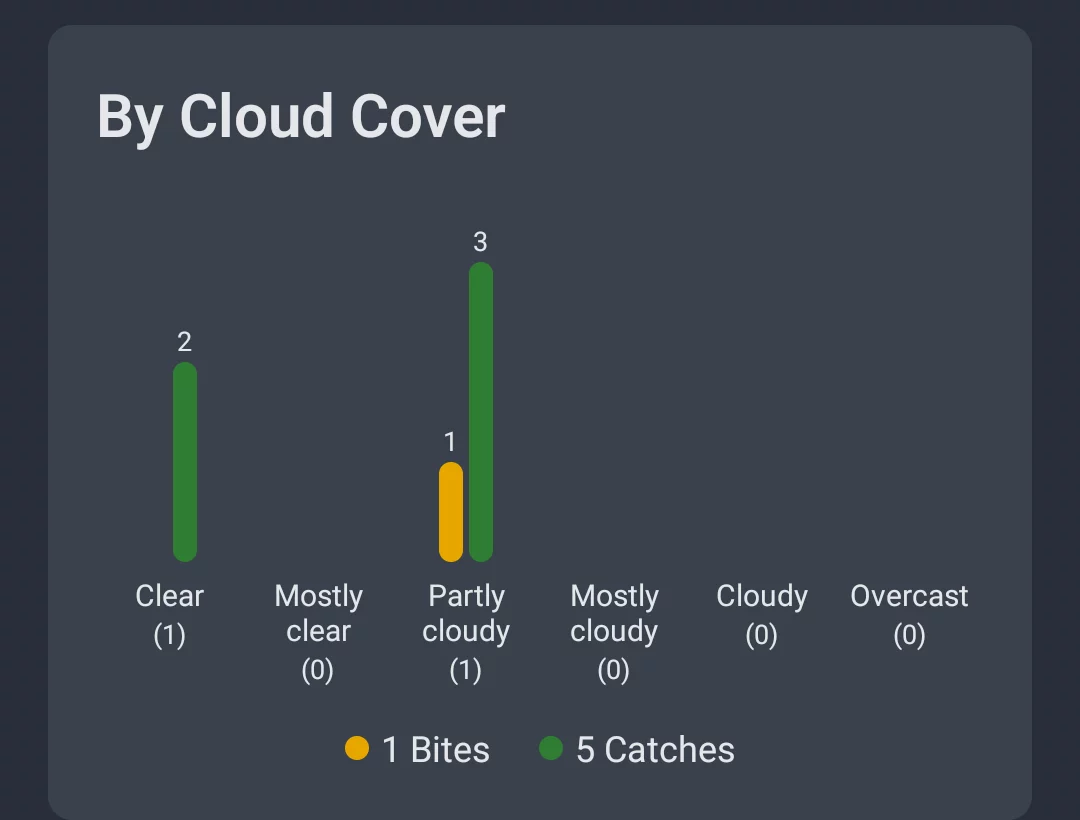
Cloud cover is split into four bands: Clear, Light Cloud, Cloudy, and Overcast. Find out whether you fish better under blue skies or under cloud cover.
Note: The weather analysis shows session averages, which keeps the comparison fair regardless of how often you've fished under any particular condition.
5. Water Analysis
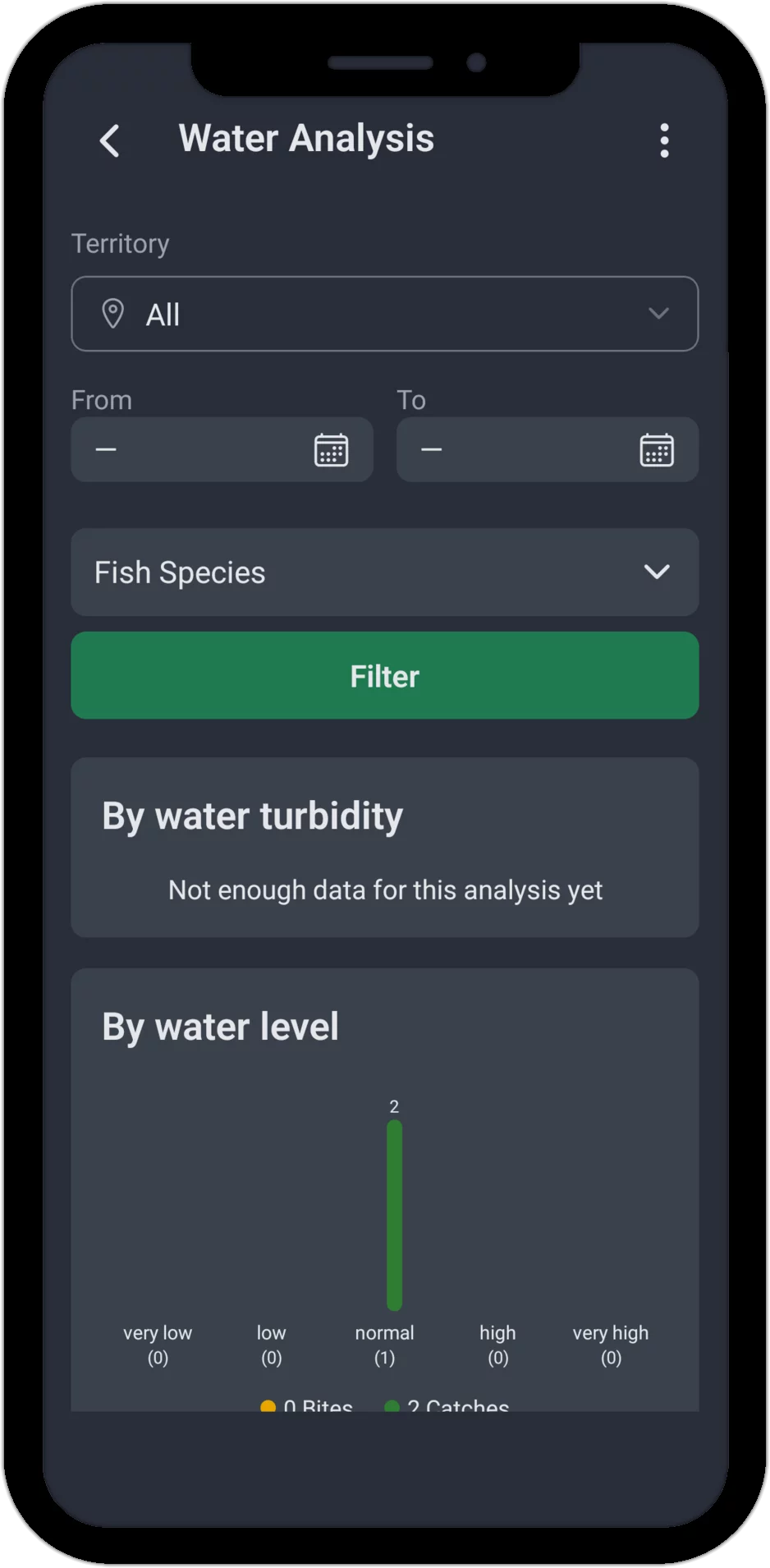
It's not just the weather – the state of the water itself shapes your fishing success too. The water analysis evaluates the water conditions you've logged for your sessions and catches – water clarity, water level, water level trend, and water temperature.
Water level is shown in five bands: very low, low, normal, high, and very high. Water clarity and water level trend need a bit more data to work with – until enough sessions carry those entries, the app shows a note instead of a chart for those two.
Water Temperature
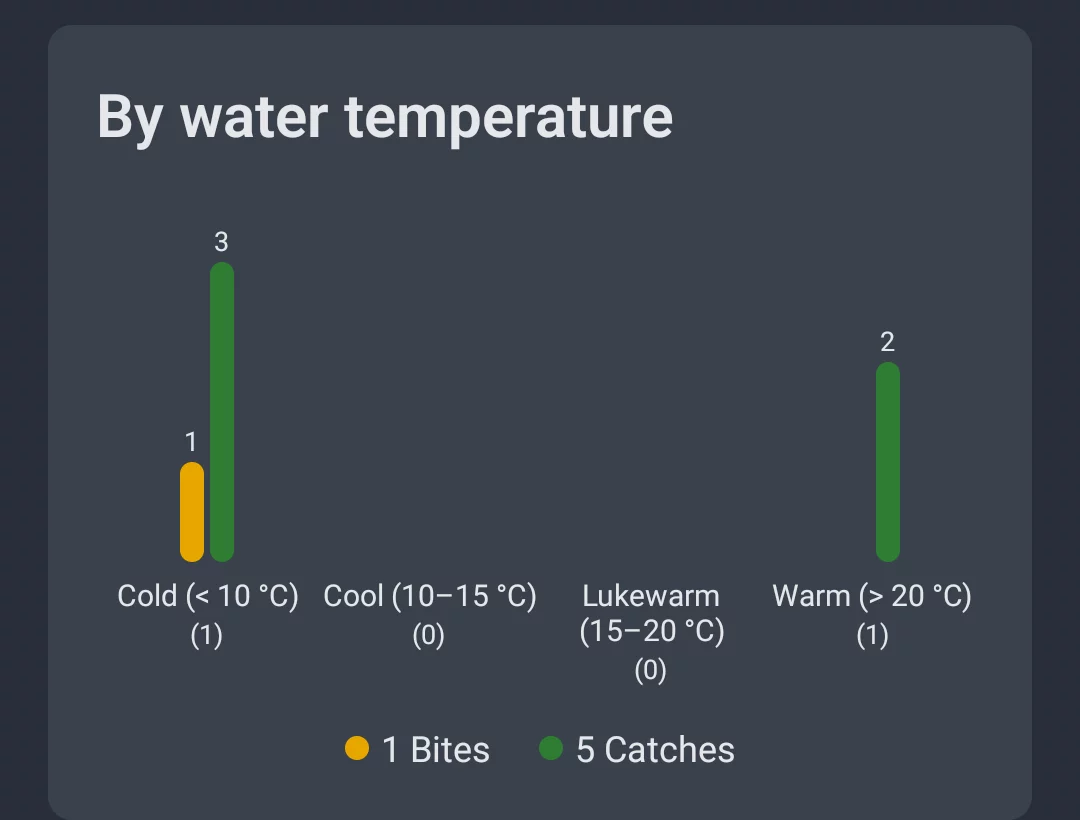
Water temperature is split into four bands: Cold (below 10 °C), Cool (10–15 °C), Mild (15–20 °C), and Warm (above 20 °C) – so you can see which temperature range gets your target species most active.
Note: Water clarity, water level (including trend), and water temperature are your own on-the-spot judgment calls, logged with each session or catch – no weather service can supply them. The more consistently you log them, the more this analysis has to tell you.
6. Territory Map
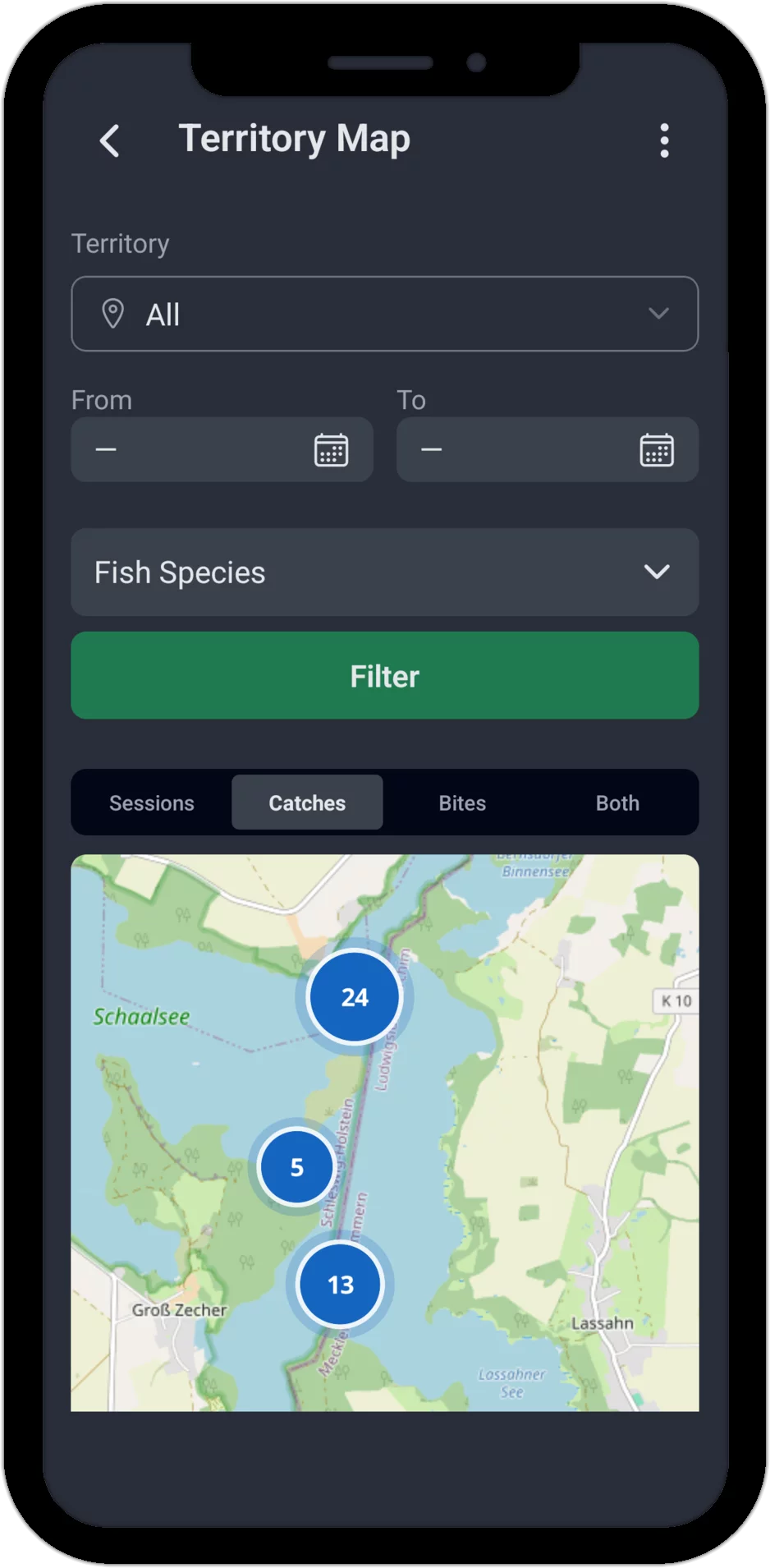
The territory map shows at a glance exactly where you've fished within a given territory. Use the territory list to switch between your spots and pick the one you want. Four views are available: Sessions, Catches, Bites, and Both (catches and bites combined).
Every session, catch, or bite shows up as a marker on the map. If several were logged at the same spot, the marker shows the count. The territory map does double duty: it's a check – you can confirm your sessions are mapped to the right territory – and an overview – you can see exactly which spots within the territory you've fished, and how often.
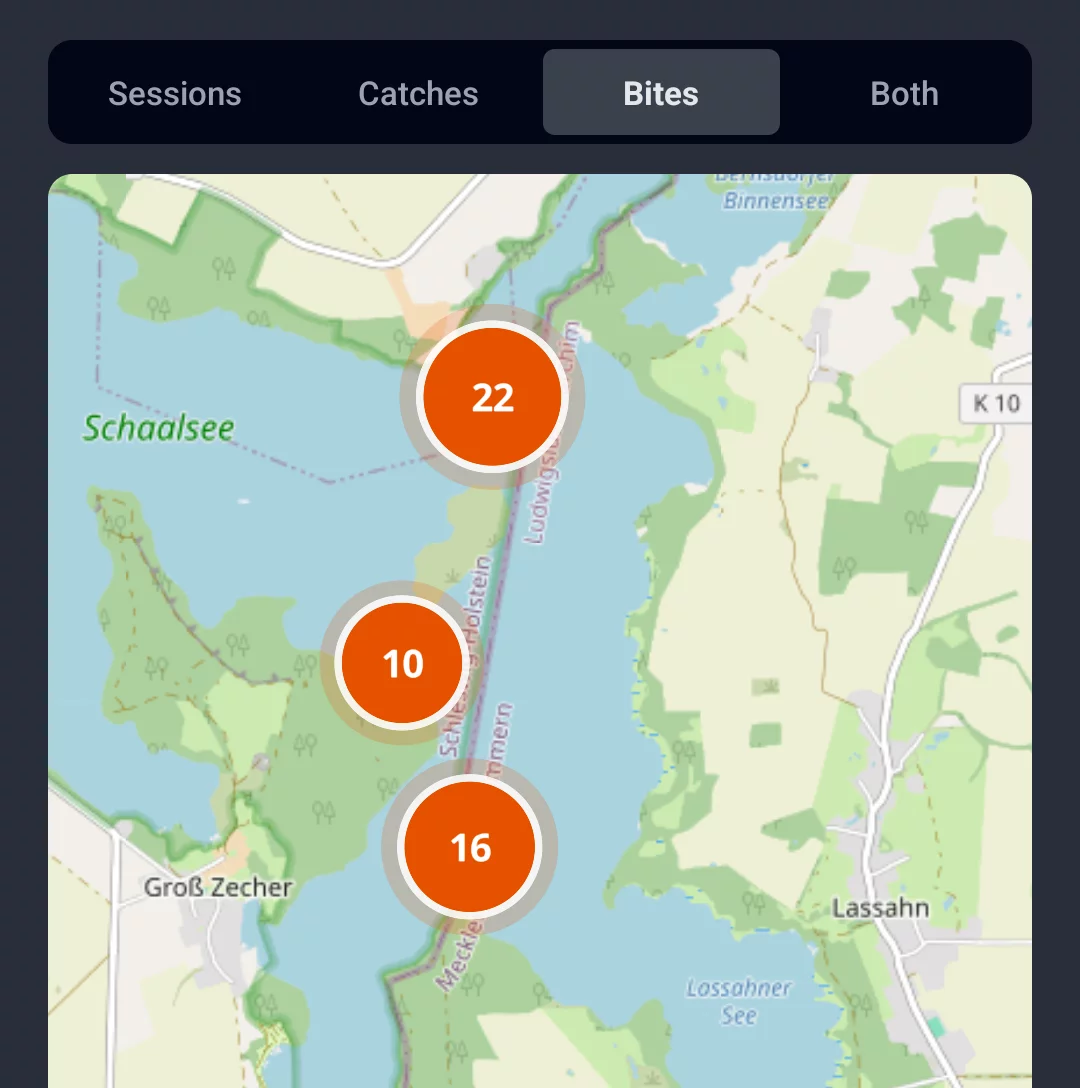
The "Bites" tab shows exactly where in the territory the action was concentrated – even at spots that haven't produced a catch (yet).
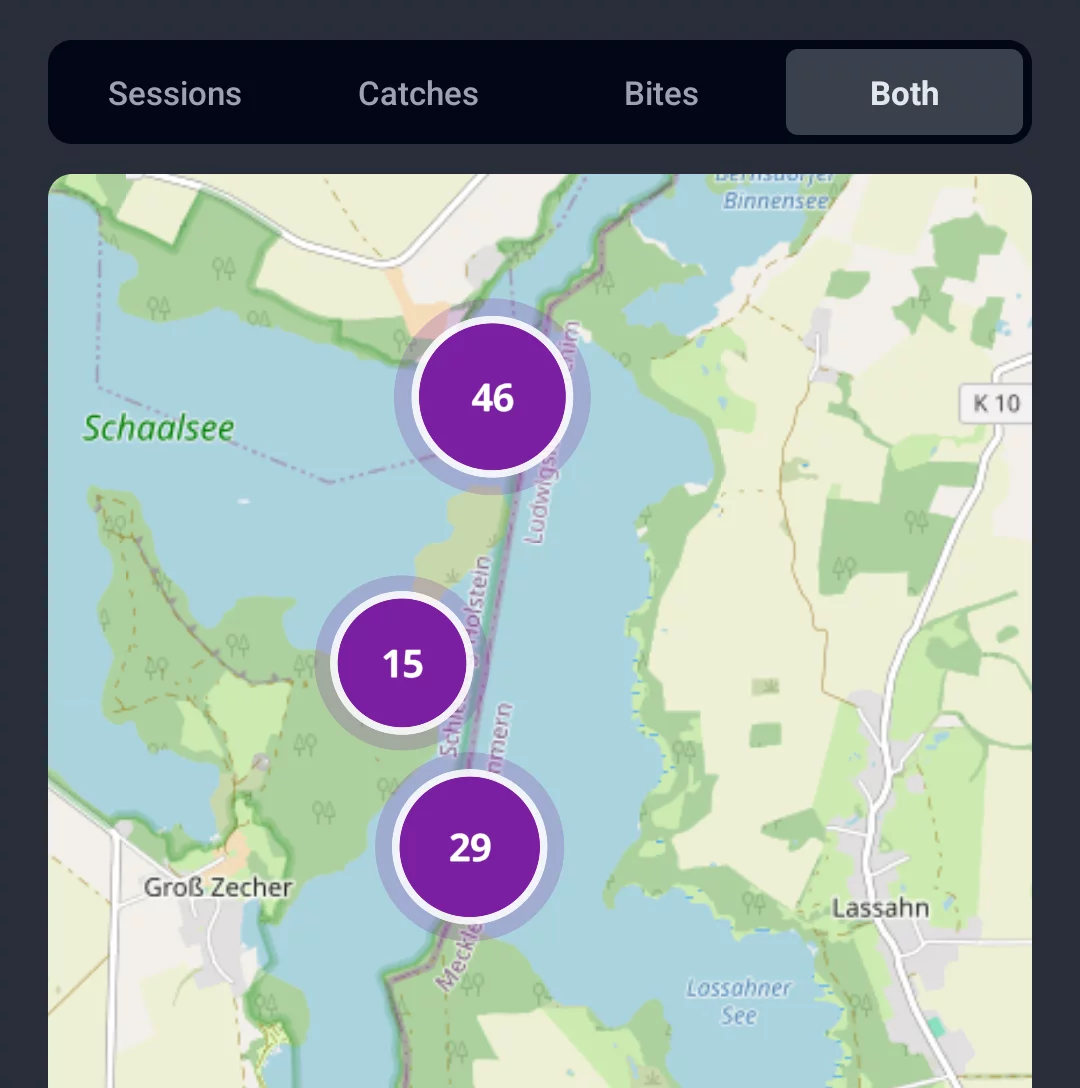
The "Both" tab combines catches and bites into a single view – giving you the full picture of activity at every spot in your territory, all at once.
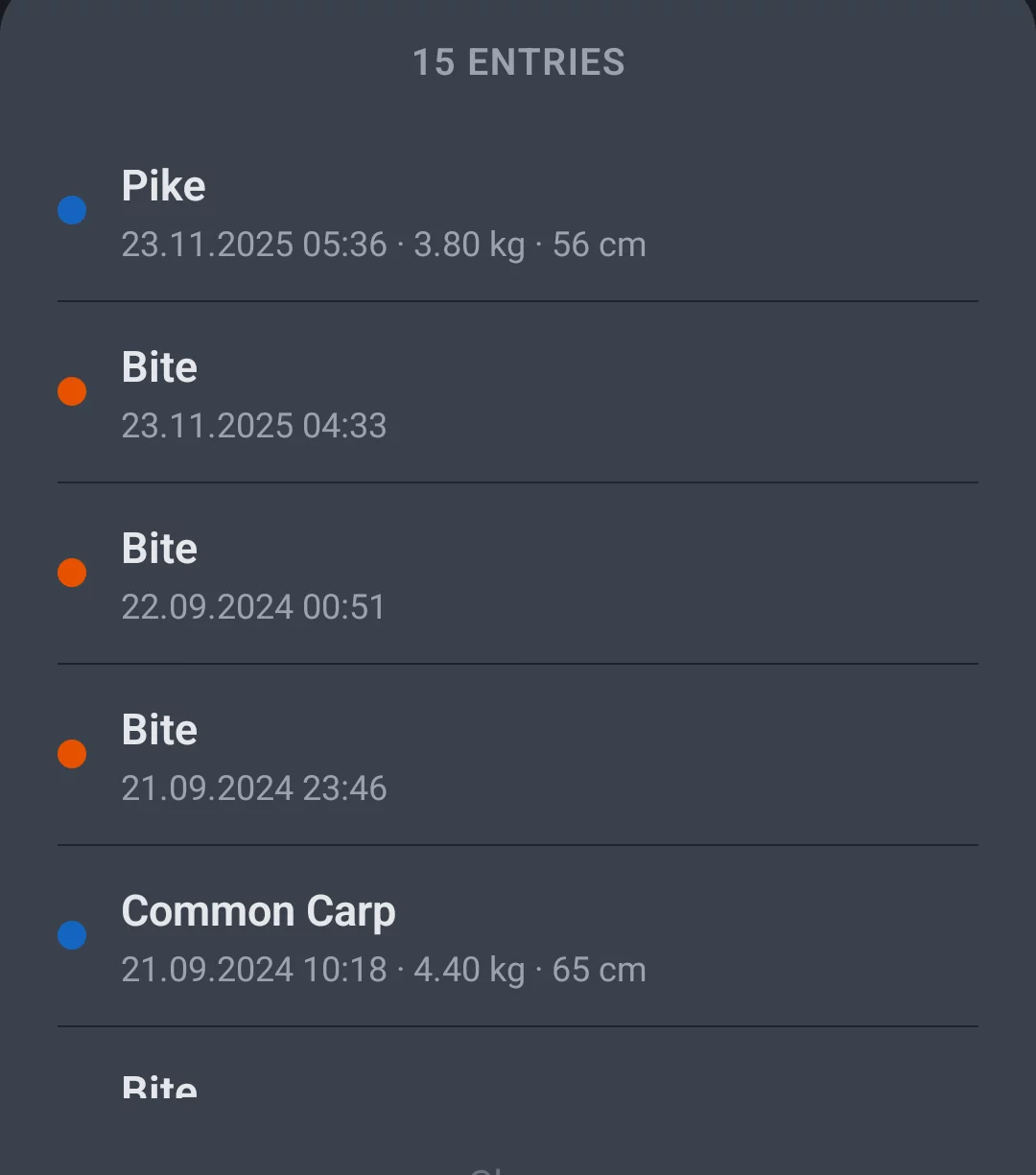
Tap a marker and a list opens with every entry logged at that spot – sorted chronologically, with species, weight, and length for catches, or the exact time for bites. Even with dozens of sessions at the same spot, you can trace back every single catch.
Analysis on Multiple Levels – Spot the Patterns in Your Catches
AngelStratege doesn't just analyze each catch in isolation – it looks at your fishing data on several levels at once. That's how you turn your own logged sessions into statistics, evaluate your catches, and spot patterns that would otherwise stay hidden.
Evaluate Catches and Bites
Compare individual catches and bites against the weather conditions, the air pressure, and the time of day. Was your last pike caught on falling or rising pressure? Do the perch in your waters bite more in the morning or the evening? Your catch statistics have the answer.
Analysis by Species and Species Group
Spot patterns for a single species, or analyze an entire species group – predators or coarse fish, for example – all at once. That's what makes real target-species analysis possible: you see at a glance which conditions produce the best results for which fish.
Fishing Success per Spot
Compare your fishing success across different waters. Which spot delivers the most catches? Where are bites more frequent? The territory statistics make the differences between your fishing spots visible and help you identify your best water.
Weather Trends and Air Pressure Analysis
Evaluate stable versus falling pressure phases, compare wind strengths, and see the real connection between fishing weather and your catch success. The weather analysis is built on your own logged data – not on generic forecasts.
Water Level and Water Temperature Analysis
Water level, water level trend, water clarity, and water temperature all feed into the analysis too. On rivers with a swinging water level, or lakes where water temperature shifts sharply, a clear connection to your catch success often shows up here.
Moon Phase Fishing Analysis
Does the moon phase affect your fishing success? The moon phase analysis shows whether you see more or less activity around a full moon, new moon, or the phases in between. It's an interesting extra factor alongside weather and time of day, letting you spot catch patterns tied to the lunar cycle too.
Your Data, Your Knowledge
Every piece of analysis here is built exclusively from your own data. You're not looking at generic statistics – you're looking at insights drawn from your personal fishing experience on your own waters. That's what makes AngelStratege your personal analysis tool, one that gets smarter with every session you log.
The more data, the better the analysis. After just a handful of sessions, the insights are still limited. But as your logged history grows, the patterns get sharper and the analysis gets more valuable.
Start Now – Try the Fishing App for Free
Ready to discover your own catch patterns?
The app already comes with extensive test data from 2 years of fishing – so you
can see right away what AngelStratege can do. No email, no password, no hassle.

